AI-generated code breaks in production, with 43% of code changes needing manual debugging even after passing QA, because it is optimized for ideal scenarios, lacking error handling, system context, and scalability logic that production environments demand. To fix this, teams must introduce structured engineering practices, including testing, architecture design, and quality gates.
AI tools, now used by 84% of developers, allow business teams to deliver MVPs in days. However, these early-stage products often fail in production because they require post-release fixes and stop working reliably in real-word conditions. A Lightrun survey found that 43% of AI-produced code changes require debugging after deployment, and Google’s 2025 DORA report confirms that AI adoption continues to negatively impact software delivery stability.
Messy data, unpredictable user behavior, and heavy traffic make it so that applications that perform well in controlled demos fail. So, even when AI accelerates delivery, it does not replace the engineering practices required for reliable systems. Understanding why AI code breaks and how to fix these issues is essential for teams trying to move beyond the prototype stage.
Why AI-Generated Code Works in Demos but Fails in Production
Businesses start to see the difference between AI hype and reality once a product leaves the demo environment. A working prototype that may appear complete can often lack critical components and fail under real conditions for several reasons.
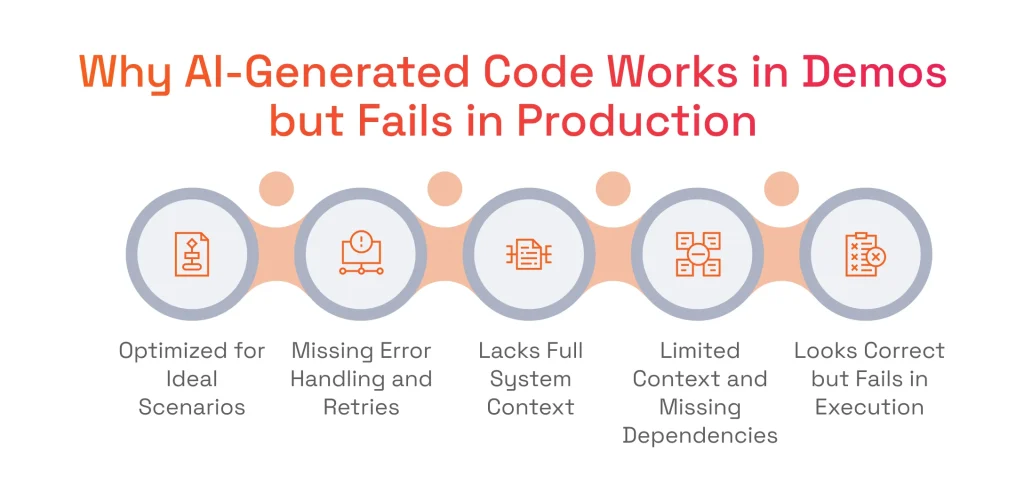
AI Code Is Optimized for Ideal Scenarios, Not Real Conditions
AI models assume clean inputs, instant API responses, and no resource conflict when generating code. Typically, this code only handles the happy path. Yet, production environments are far from perfect. Users may submit forms multiple times, third-party services can drop requests under load, and database connection pools may become exhausted during off-hours.
AI Cannot See Full System Context
Since AI development tools generate code solely based on the prompt provided by a developer or team member, they have no visibility into the broader system. They do not know how components interact, what downstream effects a database query will have, or which shared resources are already under pressure. In the end, features work in isolation and often fail when integrated into real systems.
AI Generates Code Based on Patterns, Not System Understanding
AI code-generation tools rely on pattern matching rather than true system awareness. Because they predict what code should look like instead of verifying how it behaves in a real environment, they may reference non-existent APIs, outdated libraries, or incorrect assumptions. As a result, the code appears correct but fails during execution.

Serhii Leleko
ML & AI Engineer at SPD Technology
“These three separate reasons are just the way AI writes code. We see all of them at once in every system we audit. The demo runs fine, everything looks solid, and then production hits and all of it surfaces at the same time.”
The Real Reasons AI-Generated Code Breaks
In a sound software product development process, engineering decisions are guided by system context, architectural constraints, and long-term maintainability. This is why systems stay robust. However, this is not the case with AI-generated code because of the following reasons.
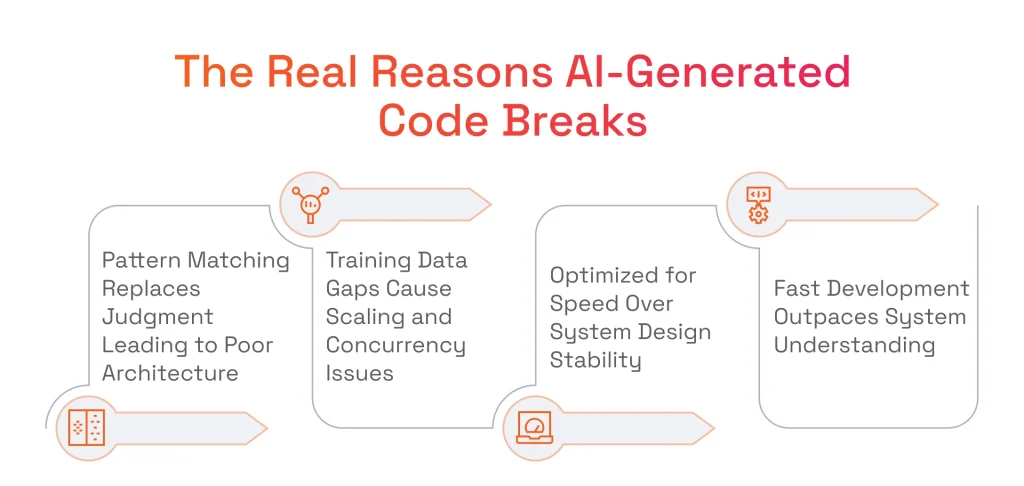
Pattern Matching Replaces Engineering Judgment
The logic behind AI assistants generating code lies in matching patterns in the training data, since they select approaches based on how often these patterns appear in the data they were trained on, rather than their architectural fit. A pattern common in tutorials may be unsuitable for production, but AI applies it confidently. This results in architectural decisions that are costly to reverse under load.
Training Data Creates Blind Spots for Scaling and Concurrency
Most code in AI training datasets was written for single-user, single-threaded contexts, usually required for tutorials and small projects. This leaves models with blind spots around concurrency, distributed systems, high-load behavior, memory management, asynchronous processing, and other production considerations. As a result, generated code often contains race conditions, deadlocks, and resource conflicts, which are difficult to reproduce in testing but can be severe in production.
AI Optimizes for Speed, Not System Design
Everything about AI-assisted development is optimized for speed, from feature delivery to prototyping to iteration. But production stability requires just the opposite. That includes deliberate architecture, careful boundary definition, and thoughtful trade-off analysis, all of which depend on knowing how to write software requirements that give engineering teams a clear foundation for complex and nuanced development.
Development Velocity Outpaces System Understanding
When AI tools write code faster than the team can read it, nobody fully understands how the system works, and any changes, fixes, or improvements require more time. Engineers stop building and start debugging code they didn’t write, which puts more pressure on SRE.
What Actually Breaks in Production
The ways code produced by AI breaks in production can actually be very predictable. Below are some of the most common issues.
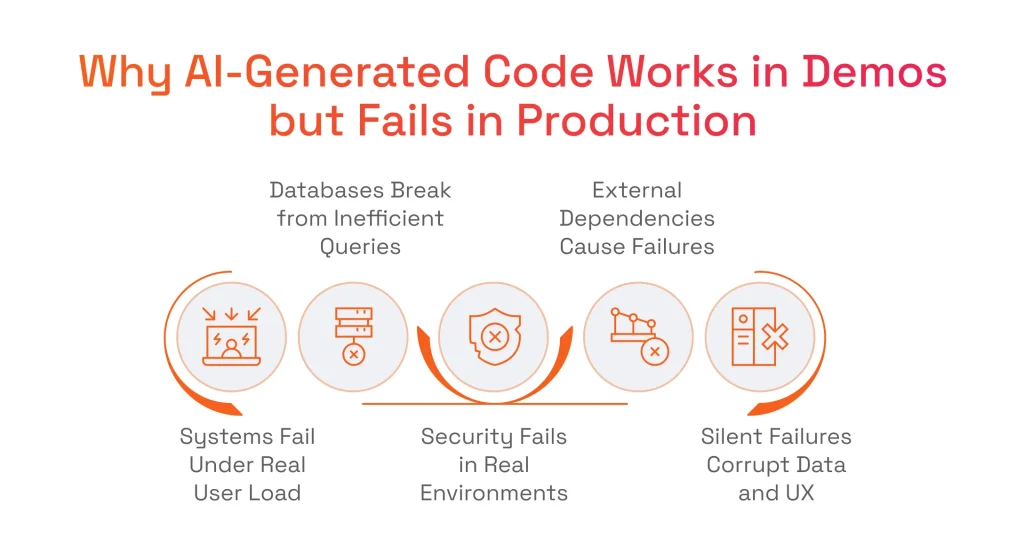
Systems Fail Under Real User Load
The most common production failures in AI-built systems fall into three categories:
- Concurrency issues, where threads deadlock or race conditions corrupt shared data when multiple users hit the same resource simultaneously.
- Memory leaks, meaning the application gradually consumes more and more server memory, occur because AI-generated code allocates resources without releasing them until processes crash.
- Resource exhaustion that causes request queues to overflow and connection pools to run dry, and results in the entire application being unresponsive.
Databases Break Due to Inefficient Queries
Code assistants consistently produce database patterns that work on small datasets and collapse at scale. Common examples include:
- N+1 queries cause the application to fire hundreds of separate queries where one would suffice, because the tool generates a new query inside every loop iteration.
- Full table scans make queries read entire tables row by row instead of using indexes.
- No connection pooling means each request opens a new database connection, which can exhaust the connection limit under load.
Security Fails in Real Environments
Generative tools can assemble an authentication flow that appears complete, but they actually omit the security controls. Thus, the system is left with:
- Frontend-only auth, where authorization checks run in the browser and any user can inspect and bypass them.
- Exposed secrets that cause API keys, tokens, and credentials to sit in publicly accessible client-side code.
- Missing validation results in user inputs passing straight to the backend without sanitization.
External Dependencies Cause System Failures
AI-generated code treats outside APIs as if they never go down. Production proves otherwise, and the code has nothing to fall back on due to:
- API outages like when an external service goes down, and an application keeps sending requests into a void and waits for responses that never come.
- Rate limits, where a provider throttles your requests, lack backoff logic, so requests pile up and compound the problem.
- Version changes, where an API changes something on their end, and the code stops working with no backup.
Silent Failures Corrupt Data and User Experience
Perhaps the scariest production failure is when everything works, nobody gets an error, and the data is quietly wrong the entire time. Here’s what that looks like:
- State inconsistencies, where different parts of the system fall out of sync.
- Edge cases, where a calculation returns a plausible-looking number that’s subtly wrong under specific input combinations that testing never covered.
- Hidden bugs that result in processing steps being silently skipped without logging.
Why These Failures Are Unique to AI-Generated Code
Every codebase, even the one written by top engineers, has bugs, but AI-written code breaks in ways engineering teams aren’t used to. Below are some of them.
AI Hallucinates Non-Existent Code and Dependencies
Unlike a human developer who would verify a dependency before using it, LLMs can reference APIs, libraries, or functions that do not exist. These hallucinations are often subtle, like a function name that’s almost right or an API parameter that worked two versions ago. The code compiles and tests pass, so nobody catches it. The problem only shows up in production when the system tries to use something that doesn’t exist.
AI Uses Outdated or Deprecated Patterns
Training data used by generation tools includes code from across years of software development. And when AI assistants generate solutions, they can rely on outdated libraries, security practices that are no longer sufficient, or design patterns that have been replaced by better ones. Since tools do not actively verify whether something is still up to date, these old patterns become embedded in production systems.
AI Generates Code Without Human Ownership or Understanding
When AI tools generate code, no human has thought through the logic, weighed the trade-offs, or decided why one approach was chosen over another. This creates an ownership gap where nobody on the team can explain why the code works the way it does. So, when something breaks, engineers can’t trace the reasoning behind the original decision.
Serhii Leleko
ML & AI Engineer at SPD Technology
“Hallucinations, deprecated patterns, code nobody owns will show up in every AI-created codebase. That’s just the nature of the tool. The answer isn’t to eliminate AI from your workflow. It’s to make sure a human understands every line before it reaches production.”
The Hidden Cost of AI-Generated Code
While the first bug in code produced by AI tools is never the hardest one to fix, the most complex problems come from everything this first bug triggers.
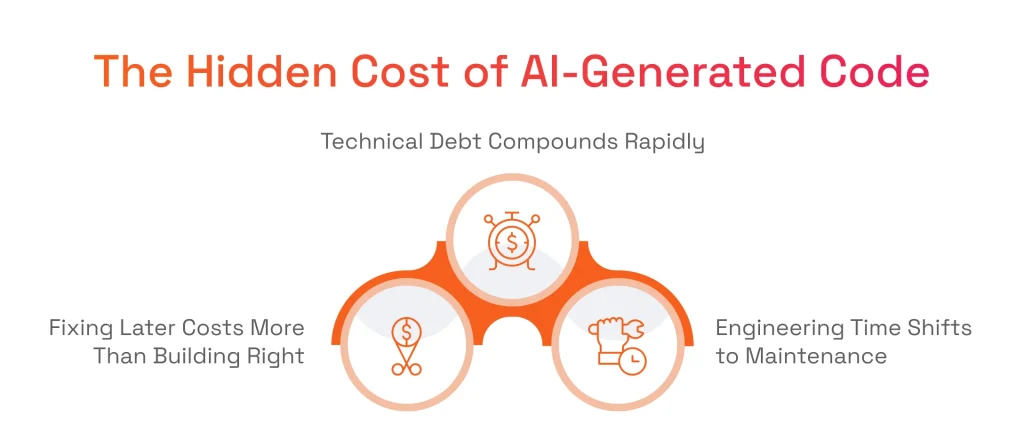
Technical Debt Compounds Faster in AI-Generated Systems
AI code arrives without documentation, architectural reasoning, or tests. This means technical debt starts accumulating the moment the code is committed. But unlike traditional debt, which builds gradually through deferred refactoring and skipped tests, AI-driven debt compounds at a scale entirely different.
The good news is that it’s manageable. According to Gartner, organizations that take a dedicated approach to managing AI debt will realize greater business value and mature up to 500% faster over the next three years.
Fixing Issues Later Is More Expensive Than Building Correctly
As mentioned above, 43% of generated code changes need manual debugging in production. What’s more, 88% of organizations require two to three redeploy cycles just to verify that a single AI-suggested fix actually works. With every fix cycle, the team loses time, other work stalls, and the pressure to just patch it and move on grows.
What takes an hour to fix during development takes days in production. Yet, the issue is that most teams expect AI to speed up development, which also reduces budgets. In the end, teams just do not have enough resources for verification, debugging, and remediation.
Engineering Time Shifts from Building to Maintenance
It is reported that developers now spend an average of 38% of their week (roughly two full working days) on debugging, verification, and troubleshooting. That’s time not spent building features, improving the product, or shipping what the business actually needs.
So, teams adopt AI tools expecting to move faster, then gradually realize their engineers are spending more time maintaining and verifying AI-written output than they did writing code manually in the first place.
AI Code vs Production Reality
AI-Generated Code Behavior | Immediate Benefit (Why It Works Early) | Production Reality | Long-Term Consequence |
|---|---|---|---|
Assumes ideal inputs (“happy path”) | Fast to generate working features | Must handle invalid inputs, retries, timeouts, and failures | Runtime errors and unpredictable crashes |
Generated in isolation | Quick implementation of single features | Must integrate with existing systems, services, and dependencies | Integration failures and inconsistent behavior |
Uses pattern-based logic | Produces syntactically correct code quickly | Requires architecture-aware decisions and trade-offs | Logical inconsistencies and hidden bugs |
Relies on latest-looking examples | Accelerates development without research | Must use current, supported, and secure libraries | Deprecated APIs and security vulnerabilities |
Optimized for single-user scenarios | Works perfectly in testing environments | Must handle concurrency, async processes, and load | Race conditions, data corruption, performance issues |
Minimal or missing error handling | Reduces development time | Must handle real-world failures (network drops, retries, edge cases) | Silent failures and system instability |
No system-wide architecture awareness | Faster prototyping without planning | Requires clear boundaries, data flow, and modular design | Technical debt and inability to scale |
Hardcoded or implicit assumptions | Simplifies early implementation | Must support dynamic environments and changing requirements | Fragile system behavior under change |
Generates frontend-first solutions | Fast visual results and demos | Requires backend logic, persistence, and secure authentication | “Fake” systems that break in production |
Produces undocumented code | Faster delivery with no overhead | Requires maintainability, clarity, and shared understanding | Difficult debugging and SRE overload |
Lacks observability (logs, metrics) | Simpler setup during MVP stage | Requires monitoring, tracing, and debugging visibility | Long incident resolution time (high MTTR) |
Treats external APIs as stable | Easy integration | APIs change, fail, or throttle requests | Cascading failures and downtime |
Generates inefficient queries and logic | Works on small datasets | Must operate on large datasets and real traffic | Database overload and performance bottlenecks |
AI-Generated Code Behavior
Assumes ideal inputs (“happy path”)
Generated in isolation
Uses pattern-based logic
Relies on latest-looking examples
Optimized for single-user scenarios
Minimal or missing error handling
No system-wide architecture awareness
Hardcoded or implicit assumptions
Generates frontend-first solutions
Produces undocumented code
Lacks observability (logs, metrics)
Treats external APIs as stable
Generates inefficient queries and logic
Immediate Benefit (Why It Works Early)
Fast to generate working features
Quick implementation of single features
Produces syntactically correct code quickly
Accelerates development without research
Works perfectly in testing environments
Reduces development time
Faster prototyping without planning
Simplifies early implementation
Fast visual results and demos
Faster delivery with no overhead
Simpler setup during MVP stage
Easy integration
Works on small datasets
Production Reality
Must handle invalid inputs, retries, timeouts, and failures
Must integrate with existing systems, services, and dependencies
Requires architecture-aware decisions and trade-offs
Must use current, supported, and secure libraries
Must handle concurrency, async processes, and load
Must handle real-world failures (network drops, retries, edge cases)
Requires clear boundaries, data flow, and modular design
Must support dynamic environments and changing requirements
Requires backend logic, persistence, and secure authentication
Requires maintainability, clarity, and shared understanding
Requires monitoring, tracing, and debugging visibility
APIs change, fail, or throttle requests
Must operate on large datasets and real traffic
Long-Term Consequence
Runtime errors and unpredictable crashes
Integration failures and inconsistent behavior
Logical inconsistencies and hidden bugs
Deprecated APIs and security vulnerabilities
Race conditions, data corruption, performance issues
Silent failures and system instability
Technical debt and inability to scale
Fragile system behavior under change
“Fake” systems that break in production
Difficult debugging and SRE overload
Long incident resolution time (high MTTR)
Cascading failures and downtime
Database overload and performance bottlenecks
How to Make AI-Generated Code Production-Ready
Moving from an AI-generated prototype to a reliable production system requires deliberate engineering work. Here’s a framework that our team and many top AI development companies apply step by step.
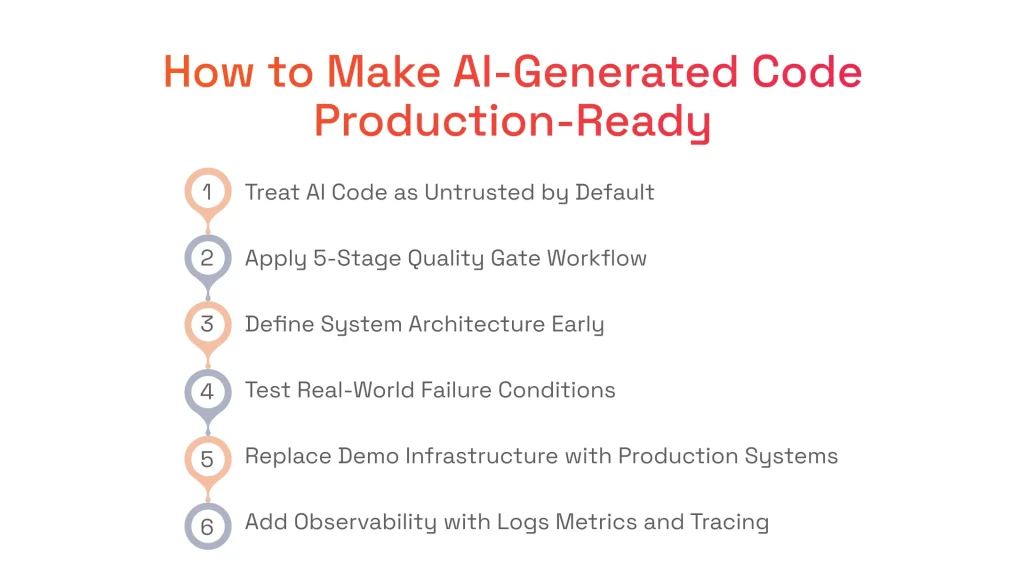
Step 1: Treat AI-Generated Code as Untrusted by Default
When working with code generated by AI tools, teams must treat every line of this code exactly as they would treat code submitted by an unknown external contributor. This means they should assume that no one on the team has reasoned through the implementation, verified that it handles edge cases, or confirmed that it fits the broader system.
In other words, they should implement the AI code quarantine. Rather than merging AI-generated code directly into the main codebase, it lands in an isolated environment for review, testing, and validation. The quarantine makes sure that the generated code earns trust through verification.
Step 2: Implement a 5-Stage Quality Gate Workflow
Without quality gates, the speed that AI tools provide simply means problems reach production faster. Thanks to a reliable AI-assisted workflow, professional engineers put every piece of generated code through five stages before they ship it:
- Code generation. AI produces the initial implementation based on a well-scoped prompt. The output should be considered just a starting point for the future product.
- Static analysis. Automated tools scan for known anti-patterns, security vulnerabilities, deprecated dependencies, and code style violations to catch the surface-level problems without requiring human time.
- Integration testing. Running the code against the actual system is where isolation-stage bugs like broken API contracts, missing environment variables, and incompatible data formats surface.
- Human review. Any workflow involving AI-assisted code requires a human-in-the-loop approach. When reading the code, an engineer must understand what it does and why. If it is not the case, the code must not be accepted, regardless of whether the tests are green.
- Load testing. Subjecting the code to production-level traffic patterns reveals the concurrency bugs, memory leaks, and resource drain that AI-delivered code is most prone to.
No stage should be considered optional. Each one catches a different category of failure, and skipping any of them means shipping that category of risk straight to production.
Step 3: Define System Architecture Before Scaling
Before AI at scale becomes the goal, the engineering team needs to define two things. The first is system boundaries, which include which services own which responsibilities, where one component ends, and another begins, and what contracts govern communication between them. The second is data flow, including how information moves through the system from input to storage to output. Without both being clearly defined, code from AI assistants creates tight coupling, invisible dependencies, and overlapping logic that make the system progressively harder to change, debug, and scale.
Step 4: Test for Real-World Failure Conditions
When live code fails, it has to fail safely, and production-ready testing is how teams verify that it can handle network failures, concurrent traffic, and unavailable dependencies. For example, testing ensures that the system can handle timeouts and hanging services without dragging everything else down with them. It also helps identify whether the system can survive hundreds of users hitting the same endpoint at once. And retries are checked to confirm that a repeated operation doesn’t double-charge a customer or send the same notification twice.
Step 5: Replace Demo Infrastructure with Production Systems
Often, prototypes created with the help of AI use shortcuts that look functional in a demo but cannot eventually support a real product. For this reason, three layers are rebuilt before putting the application into production.
- The first is the backend, which needs proper service separation and scaling.
- The second is the database, which needs indexing, connection pooling, and query optimization.
- The third is authentication, which requires server-side validation and secure token management.
Step 6: Add Observability and Monitoring
Code produced by AI tools rarely includes instrumentation, so problems tend to surface through user complaints and not engineering dashboards. To avoid that, production systems require DevOps expertise. With it, systems can be set up with structured logging that captures enough context to understand why something failed, metrics like latency and error rates can be established to detect degradation, and distributed tracing can be set up to follow a request across service boundaries and pinpoint where things break.
Going from prototype to production?
Read our checklist on how to make your AI software production-ready.
When AI-Generated Code Works and When It Doesn’t
While it may seem otherwise, code produced by AI tools is not inherently bad. The key is understanding where it adds value and where it creates risk.
Where AI Code Is Effective
Using AI-generated code is ideal when the project goal is speed and when the output will either be discarded, refined, or used in low-stakes environments. Specifically, it is worth writing code with AI assistants for:
- Prototyping, as it generates a working interface, a basic API, or a functional flow in hours. In this case, AI helps teams deliver something tangible to stakeholders before committing engineering resources to an idea.
- Validation, as it powers landing pages, clickable prototypes, or lightweight feature experiments. Once the hypothesis is confirmed or rejected, the code has done its job and can be discarded.
- Internal tools, as they work with admin dashboards, data migration scripts, one-off reporting tools, and internal automation, where the tolerance for imperfection is higher.
For a real example of AI-powered prototyping done right, see how we built an AI assistant MVP in 3 days.
Where AI Code Fails Without Engineering Discipline
Code from AI assistants breaks down when reliability, performance, and uptime actually matter, especially in:
- High-load environments, where concurrency, memory management, and resource allocation determine whether the system stays up or falls over.
- Production systems, where every gap in the code turns into problems real users experience, like failed transactions, a broken checkout, crashed pages, or error screens.
- Scaling, when wrong architectural decisions can produce tightly coupled components, inefficient database queries, and monolithic structures that cannot be scaled horizontally without rework.
What This Means for Teams Building with AI
Without question, AI tools can speed up development, but they should not substitute engineering expertise. Here at SPD Technology, we help teams identify when AI tools are no longer enough, and engineering needs to take over to make AI-generated systems production-ready.
The Gap Between Prototype and Production Is Where Systems Break
We see consistently across the teams we work with that the transition from a working demo to real users is where most AI-built products encounter their first serious failures. This gap is the natural boundary between code generation and actual AI/ML development. And we help teams recognize this boundary early so they can plan for it.
Fixing Production Issues Requires Architecture, Not More Code
When production issues arise, the instinct we see most often is to generate more code with more patches, more workarounds, and more features to compensate. But we can say from our experience that production stability comes from architecture, meaning well-defined boundaries, proper error handling, and systems designed to fail gracefully.
Moving from Vibe Coding to Engineering Discipline Is a System Shift
Vibe coding is a powerful approach for exploration and hypothesis, and we encourage businesses to use it in these cases. However, when transitioning to production, a different approach is required. In this case, teams must be vigilant over the fact that every component is understood, tested, monitored, and owned.
Want to see what this shift looks like step by step?
We’ve outlined the process in our article: the 90-day path from vibe-coded MVP to production system.
Key Takeaways
- AI coding tools do not enforce system architecture, which leads to fragile systems that break under real user load, data volume, and concurrent access.
- AI accelerates development velocity but increases system complexity and technical debt.
- 43% of AI-generated code changes require debugging in production, making post-deployment remediation expensive.
- Developers spend an average of 38% of their week on debugging and verifying AI-generated output.
- Fixing AI-generated code requires structured engineering practices, including architecture, testing, observability, and quality gates.
In short: AI-generated code accelerates development, but without engineering discipline, that speed creates technical debt, production failures, and systems that cannot scale.
FAQ
Why Does AI-Generated Code Fail in Production?
Code written by AI assistants fails in production because it is built for ideal scenarios and lacks the error handling, concurrency logic, and failure recovery that real-world traffic demands. Production exposes the gaps AI-generated code carries into live environments, including missing retries, no fallback behavior, and unmanaged database connections.
Is AI-Generated Code Production-Ready?
AI-assisted code works well enough for demos and validation but falls short of what production requires. It typically ships without proper architecture, security controls, monitoring, error handling, documentation, etc.
How Do You Test AI-Generated Code Properly?
Testing AI tools’ codebase requires going beyond unit tests into integration testing, load testing, chaos engineering, and security validation. Standard test suites miss the failure modes that AI introduces, such as hallucinated dependencies, race conditions, and silent data corruption.
What Is AI Code Quarantine?
AI code quarantine is an engineering practice where all code produced by AI assistants is treated as untrusted by default. Every AI-produced component passes through automated analysis, human review, and real-world failure testing.
How Do You Prevent AI Code From Breaking at Scale?
Preventing scale failures starts with defining system architecture before scaling. The code should be written with database efficiency, connection management, concurrency safety, load distribution, etc. in mind from day one, something that AI coding assistants simply cannot do.
Can AI Replace Developers in Production Systems?
AI tools help developers explore the possibilities of future products and augment their capabilities while working on them, but they cannot fully replace them in production. Live systems require architectural reasoning, failure recovery design, and system-level thinking that coding assistants cannot provide.